
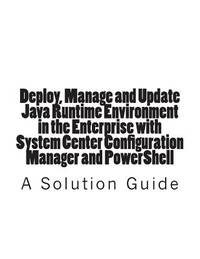
Stock photo: cover may vary
Deploy, Manage and Update Java Runtime Environment in the Enterprise with System Center Configuration Manager and PowerShell Paperback - 2015
by Jones, Trevor
- New
A$12.52
A$5.85
Delivery within USA
Standard delivery: 2 to 14 days
More delivery options
Standard delivery: 2 to 14 days
Ships from GreatBookPrices (Maryland, United States)
Details
- Title Deploy, Manage and Update Java Runtime Environment in the Enterprise with System Center Configuration Manager and PowerShell
- Author Jones, Trevor
- Binding Paperback
- Condition New
- Pages 42
- Volumes 1
- Language ENG
- Publisher Createspace Independent Publishing Platform
- Publication date 2015-05-28
- Bookseller's Inventory # 24106519-n
- ISBN 9781514106013 / 1514106019
- Weight 0.35 lbs (0.16 kg)
- Dimensions 11 x 8.5 x 0.11 in (27.94 x 21.59 x 0.28 cm)
- Category Computers - General Information
- Quantity available 5
About GreatBookPrices Maryland, United States
Biblio member since 2024
Since 1991, we have worked every day to serve our customers with state-of-the-art technology and world class service. We are dedicated to providing customers around the world with the widest selection of books, DVDs, and CDs at the absolute lowest price.
Reader reviews for Deploy, Manage and Update Java Runtime Environment in the Enterprise with System Center Configuration Manager and PowerShell
Write a review for this book
Important Terms and Guidelines
- Please focus on the book’s content and context. Also, add any personal comments as to how you enjoyed the book. Substantiate your likes and dislikes. You may make comparisons to other books.
- Reviews must be at least 140 characters in length.
- Please do not reveal critical plot elements.
- This is not a help line. Contact customer support if you need help.
Your review must not include:
- Obscenities, discriminatory language, or other insulting language not suitable for public domain
- Advertisements, “spam” content, or references to other products, offers or websites.
- Email addresses, URLs, phone numbers, physical addresses or other contact information.
- Overly critical comments about other reviews or reviewers
- Time-sensitive material (i.e. promotional tours, seminars, lectures, etc.)
- Availability, price, or alternative ordering/shipping information

