
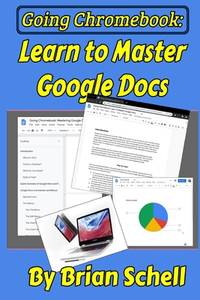
Stock photo: cover may vary
Going Chromebook: Learn to Master Google Docs Paperback - 2019
by Brian Schell
- Used
A$14.22
A$5.66
Delivery within USA
Standard delivery: 5 to 9 days
More delivery options
Standard delivery: 5 to 9 days
Ships from Wonder Book (Maryland, United States)
Details
- Title Going Chromebook: Learn to Master Google Docs
- Author Brian Schell
- Binding Paperback
- Condition Used - Very good
- Pages 102
- Volumes 1
- Language ENG
- Publisher Independently published
- Publication date 2019-05-03
- Bookseller's Inventory # I23B-05159
- ISBN 9781096752363 / 1096752360
- Weight 0.32 lbs (0.15 kg)
- Dimensions 9 x 6 x 0.21 in (22.86 x 15.24 x 0.53 cm)
- Category Computers - General Information
About Wonder Book Maryland, United States
Biblio member since 2003


With 3 stores less than 1 hour outside the DC/Metropolitan area (1 in Gaithersburg, 1 in Frederick and 1 in Hagerstown, MD), we have the largest selection of books in the tri-state area. Wonder Book and Video has been in business since 1980 and online since 1997. We have over 1 Million books for sale on our website and another 1 Million books for sale in our 3 locations. We have a very active online inventory and as such, we can receive multiple orders for the same item. We fill those orders on a first come first serve basis, but will refund promptly any items that are out of stock. Since 1980 it has always been about the books. ALL kinds of books from 95 cent children\'s paperbacks to five figure rare and collectibles. A merging of the old and new is where we started, and it is where we are today. Our retail stores have always been places where a reader can rush in looking for a title needed for a term paper that is due the next day, or where bibliophiles can get lost \"in the stacks\" for as long as they wish. In 2002 USAToday recognized us as \"1 of 10 Great Old Bookstores\", and we have been featured in numerous other newspaper and TV stories including Washington Post and CSpan.
RETURNS are cheerfully accepted up to 30 days. We ship out within 1-2 business days and U.S. Standard Shipments usually arrive within 6-9 business days, Priority 3-6.
Reader reviews for Going Chromebook: Learn to Master Google Docs
Write a review for this book
Important Terms and Guidelines
- Please focus on the book’s content and context. Also, add any personal comments as to how you enjoyed the book. Substantiate your likes and dislikes. You may make comparisons to other books.
- Reviews must be at least 140 characters in length.
- Please do not reveal critical plot elements.
- This is not a help line. Contact customer support if you need help.
Your review must not include:
- Obscenities, discriminatory language, or other insulting language not suitable for public domain
- Advertisements, “spam” content, or references to other products, offers or websites.
- Email addresses, URLs, phone numbers, physical addresses or other contact information.
- Overly critical comments about other reviews or reviewers
- Time-sensitive material (i.e. promotional tours, seminars, lectures, etc.)
- Availability, price, or alternative ordering/shipping information

