
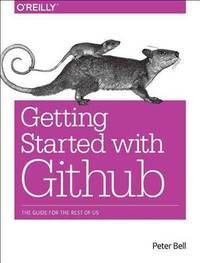
Stock photo: cover may vary
Introducing GitHub: A Non-Technical Guide Paperback - 2014 - 1st Edition
by Bell, Peter,Beer, Brent
- Used
A$24.40
A$5.78
Delivery within USA
Standard delivery: 2 to 14 days
More delivery options
Standard delivery: 2 to 14 days
Ships from GreatBookPrices (Maryland, United States)
Details
- Title Introducing GitHub: A Non-Technical Guide
- Author Bell, Peter,Beer, Brent
- Binding Paperback
- Edition number 1st
- Edition 1
- Condition New
- Pages 139
- Volumes 1
- Language ENG
- Publisher O'Reilly Media, Beijing
- Publication date 2014-12-30
- Features Index
- Bookseller's Inventory # 20879991
- ISBN 9781491949740 / 1491949740
- Weight 0.55 lbs (0.25 kg)
- Dimensions 9.1 x 6.9 x 0.4 in (23.11 x 17.53 x 1.02 cm)
- Category Computers - Languages / Programming
- Library of Congress subjects Computer software - Development, Open source software
- Dewey Decimal Code 005.3
- Quantity available 5
About GreatBookPrices Maryland, United States
Biblio member since 2024
Since 1991, we have worked every day to serve our customers with state-of-the-art technology and world class service. We are dedicated to providing customers around the world with the widest selection of books, DVDs, and CDs at the absolute lowest price.
Reader reviews for Introducing GitHub: A Non-Technical Guide
Write a review for this book
Important Terms and Guidelines
- Please focus on the book’s content and context. Also, add any personal comments as to how you enjoyed the book. Substantiate your likes and dislikes. You may make comparisons to other books.
- Reviews must be at least 140 characters in length.
- Please do not reveal critical plot elements.
- This is not a help line. Contact customer support if you need help.
Your review must not include:
- Obscenities, discriminatory language, or other insulting language not suitable for public domain
- Advertisements, “spam” content, or references to other products, offers or websites.
- Email addresses, URLs, phone numbers, physical addresses or other contact information.
- Overly critical comments about other reviews or reviewers
- Time-sensitive material (i.e. promotional tours, seminars, lectures, etc.)
- Availability, price, or alternative ordering/shipping information

