BIBLIO is the largest independent book marketplace in the world, with over 100 million books.

Skip to content

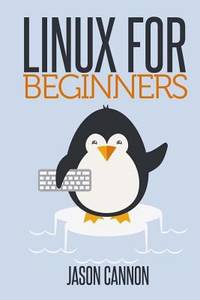
Linux for Beginners : An Introduction to the Linux Operating System and Command Line

Linux for Beginners : An Introduction to the Linux Operating System and Command Line

Linux for Beginners : An Introduction to the Linux Operating System and Command Line Paperback - 2014

by Jason Cannon

Add to wish list
  • Used
  • very good
  • Paperback
Used - Very good

Description

CreateSpace Independent Publishing Platform, 2014. Paperback. Very Good. May have limited writing in cover pages. Pages are unmarked. ~ ThriftBooks: Read More, Spend Less.Dust jacket quality is not guaranteed.
Ask the seller a question Add to wish list
A$26.28
Free Delivery within USA
Standard delivery: 4 to 8 days
More delivery options
Ships from ThriftBooks (Washington, United States)

Details

  • Title Linux for Beginners : An Introduction to the Linux Operating System and Command Line
  • Author Jason Cannon
  • Binding Paperback
  • Edition [ Edition: first
  • Condition Used - Very good
  • Pages 204
  • Volumes 1
  • Language ENG
  • Publisher CreateSpace Independent Publishing Platform
  • Publication date 2014
  • Features Bibliography
  • Bookseller's Inventory # G1496145097I4N00
  • ISBN 9781496145093 / 1496145097
  • Weight 0.62 lbs (0.28 kg)
  • Dimensions 9.02 x 5.98 x 0.43 in (22.91 x 15.19 x 1.09 cm)
  • Category Computers - General Information
  • Library of Congress subjects Operating systems (Computers)
  • Dewey Decimal Code 005.432
  • Quantity available 1

About ThriftBooks Washington, United States

Biblio member since 2018

From the largest selection of used titles, we put quality, affordable books into the hands of readers

Terms of Sale: 30 day return guarantee, with full refund including original shipping costs for up to 30 days after delivery if an item arrives misdescribed or damaged.

Browse books from ThriftBooks

Reader reviews for Linux for Beginners : An Introduction to the Linux Operating System and Command Line

From the publisher

If you want to learn how to use Linux, but don't know where to start read on.

Knowing where to start when learning a new skill can be a challenge, especially when the topic seems so vast. There can be so much information available that you can't even decide where to start. Or worse, you start down the path of learning and quickly discover too many concepts, commands, and nuances that aren't explained. This kind of experience is frustrating and leaves you with more questions than answers.


Linux for Beginners
doesn't make any assumptions about your background or knowledge of Linux. You need no prior knowledge to benefit from this book. You will be guided step by step using a logical and systematic approach. As new concepts, commands, or jargon are encountered they are explained in plain language, making it easy for anyone to understand.

Here is what you will learn by reading Linux for Beginners


  • How to get access to a Linux server if you don't already.

  • What a Linux distribution is and which one to choose.

  • What software is needed to connect to Linux from Mac and Windows computers. Screenshots included.

  • What SSH is and how to use it, including creating and using SSH keys.

  • The file system layout of Linux systems and where to find programs, configurations, and documentation.

  • The basic Linux commands you'll use most often.

  • Creating, renaming, moving, and deleting directories.

  • Listing, reading, creating, editing, copying, and deleting files.

  • Exactly how permissions work and how to decipher the most cryptic Linux permissions with ease.

  • How to use the nano, vi, and emacs editors.

  • Two methods to search for files and directories.

  • How to compare the contents of files.

  • What pipes are, why they are useful, and how to use them.

  • How to compress files to save space and make transferring data easy.

  • How and why to redirect input and output from applications.

  • How to customize your shell prompt.

  • How to be efficient at the command line by using aliases, tab completion, and your shell history.

  • How to schedule and automate jobs using cron.

  • How to switch users and run processes as others.

  • Where to go for even more in-depth coverage on each topic.
What you learn in "Linux for Beginners" applies to any Linux environment including Ubuntu, Debian, Linux Mint, RedHat, Fedora, OpenSUSE, Slackware, and more.

Scroll up, click the Buy Now With 1 Click button and get started learning Linux today!

About the author

Jason Cannon has been a professional Unix and Linux System Engineer since 1999. During that time he has worked in a wide variety of environments ranging from small, fast-paced organizations to large, well-established corporations. He enjoys teaching others how to use and exploit the power of the Linux operating system.
tracking-