BIBLIO is the largest independent book marketplace in the world, with over 100 million books.

Skip to content

Machining Simulation Using SOLIDWORKS CAM 2021

Machining Simulation Using SOLIDWORKS CAM 2021

Machining Simulation Using SOLIDWORKS CAM 2021
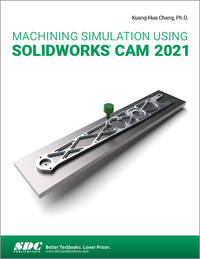
Stock photo: cover may vary

Machining Simulation Using SOLIDWORKS CAM 2021 Paperback - 2021

by Chang, Kuang-Hua

Add to wish list
  • New
  • Paperback
New

Description

SDC Publications, 2021-09-02. paperback. New. 8x0x10. New Textbook, Ships with Tracking
Ask the seller a question Add to wish list
A$242.65
A$5.63 Delivery within USA
Standard delivery: 4 to 14 days
More delivery options
Ships from SGS Trading Inc (New Jersey, United States)

Details

About SGS Trading Inc New Jersey, United States

Specialising in: Reference Books, Textbook
Biblio member since 2009

Textbook and Reference Books Discounted

Terms of Sale: 30 day return guarantee, with full refund including shipping costs for up to 30 days after delivery if an item arrives misdescribed or damaged.

Browse books from SGS Trading Inc

Reader reviews for Machining Simulation Using SOLIDWORKS CAM 2021

From the publisher

This book will teach you all the important concepts and steps used to conduct machining simulations using SOLIDWORKS CAM. SOLIDWORKS CAM is a parametric, feature-based machining simulation software offered as an add-in to SOLIDWORKS. It integrates design and manufacturing in one application, connecting design and manufacturing teams through a common software tool that facilitates product design using 3D solid models. By carrying out machining simulation, the machining process can be defined and verified early in the product design stage. Some, if not all, of the less desirable design features of part manufacturing can be detected and addressed while the product design is still being finalized. In addition, machining-related problems can be detected and eliminated before mounting a stock on a CNC machine, and manufacturing cost can be estimated using the machining time estimated in the machining simulation.

This book is intentionally kept simple. It's written to help you become familiar with the practical applications of conducting machining simulations in SOLIDWORKS CAM. This book provides you with the basic concepts and steps needed to use the software, as well as a discussion of the G-codes generated. After completing this book, you should have a clear understanding of how to use SOLIDWORKS CAM for machining simulations and should be able to apply this knowledge to carry out machining assignments on your own product designs.

In order to provide you with a more comprehensive understanding of machining simulations, the book discusses NC (numerical control) part programming and verification, as well as introduces applications that involve bringing the G-code post processed by SOLIDWORKS CAM to a HAAS CNC mill and lathe to physically cut parts. This book points out important, practical factors when transitioning from virtual to physical machining. Since the machining capabilities offered in the 2021 version of SOLIDWORKS CAM are somewhat limited, this book introduces third-party CAM modules that are seamlessly integrated into SOLIDWORKS, including CAMWorks, HSMWorks, and Mastercam for SOLIDWORKS.

This book covers basic concepts, frequently used commands and options required for you to advance from a novice to an intermediate level SOLIDWORKS CAM user. Basic concepts and commands introduced include extracting machinable features (such as 2.5 axis features), selecting a machine and cutting tools, defining machining parameters (such as feed rate, spindle speed, depth of cut, and so on), generating and simulating toolpaths, and post processing CL data to output G-code for support of physical machining. The concepts and commands are introduced in a tutorial style presentation using simple but realistic examples. Both milling and turning operations are included.

One of the unique features of this book is the incorporation of the CL data verification by reviewing the G-code generated from the toolpaths. This helps you understand how the G-code is generated by using the respective post processors, which is an important step and an excellent way to confirm that the toolpaths and G-code generated are accurate and useful.

tracking-