
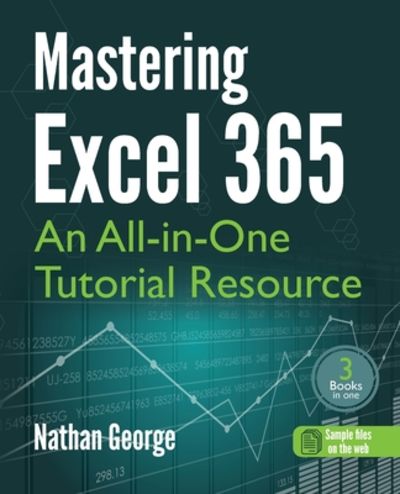
Stock photo: cover may vary
Mastering Excel 365: An All-in-One Tutorial Resource Paperback - 2023
by George, Nathan
- New
A$46.81
A$36.47
Delivery to USA
Standard delivery: 4 to 8 days
More delivery options
Standard delivery: 4 to 8 days
Dropship order
Ships from BetterBookDeals (United States)
Details
- Title Mastering Excel 365: An All-in-One Tutorial Resource
- Author George, Nathan
- Binding Paperback
- Condition New
- Pages 642
- Volumes 1
- Language ENG
- Publisher Gtech Publishing
- Publication date 2023-04-24
- Bookseller's Inventory # BIBLIO-JUNE-21-26-364623
- ISBN 9781915476111 / 1915476119
- Weight 2.39 lbs (1.08 kg)
- Dimensions 9.25 x 7.5 x 1.29 in (23.50 x 19.05 x 3.28 cm)
- Category Computers - Spreadsheets
- Quantity available 1
About BetterBookDeals United States
Biblio member since 2024
Our Mission: Books with a Purpose we believe that the love of books can do more than just ignite imaginations—it can change lives. That's why we are committed to making a difference, one book at a time. For every purchase you make, 50% of our profits go directly to helping those in need. Whether it's supporting local shelters, providing essential supplies, or funding education initiatives for underprivileged communities, your purchase contributes to creating a better world. By choosing to buy from us, you are not only expanding your own library but also extending a hand to those who need it most. Every book you add to your collection helps someone in a challenging situation. Together, we can inspire hope, promote kindness, and support meaningful causes. Join us in turning the pages of change.
Reader reviews for Mastering Excel 365: An All-in-One Tutorial Resource
Write a review for this book
Important Terms and Guidelines
- Please focus on the book’s content and context. Also, add any personal comments as to how you enjoyed the book. Substantiate your likes and dislikes. You may make comparisons to other books.
- Reviews must be at least 140 characters in length.
- Please do not reveal critical plot elements.
- This is not a help line. Contact customer support if you need help.
Your review must not include:
- Obscenities, discriminatory language, or other insulting language not suitable for public domain
- Advertisements, “spam” content, or references to other products, offers or websites.
- Email addresses, URLs, phone numbers, physical addresses or other contact information.
- Overly critical comments about other reviews or reviewers
- Time-sensitive material (i.e. promotional tours, seminars, lectures, etc.)
- Availability, price, or alternative ordering/shipping information

