BIBLIO is the largest independent book marketplace in the world, with over 100 million books.

Skip to content

Mastering Powershell Scripting - Fourth Edition

Mastering Powershell Scripting - Fourth Edition

Mastering Powershell Scripting - Fourth Edition
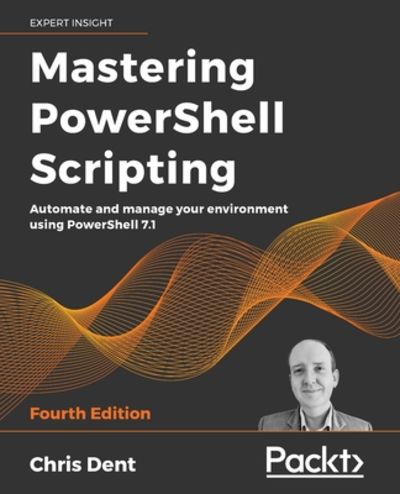
Stock photo: cover may vary

Mastering Powershell Scripting - Fourth Edition Paperback - 2021

by Dent, Chris,

Add to wish list
  • New
New

Description

new.
Ask the seller a question Add to wish list
A$123.86
A$5.82 Delivery within USA
Standard delivery: 2 to 14 days
More delivery options
Ships from GreatBookPrices (Maryland, United States)

Details

About GreatBookPrices Maryland, United States

Biblio member since 2024

Since 1991, we have worked every day to serve our customers with state-of-the-art technology and world class service. We are dedicated to providing customers around the world with the widest selection of books, DVDs, and CDs at the absolute lowest price.

Terms of Sale: 30 day return guarantee, with full refund including original shipping costs for up to 30 days after delivery if an item arrives misdescribed or damaged.

Browse books from GreatBookPrices

Reader reviews for Mastering Powershell Scripting - Fourth Edition

From the publisher

This complete guide takes you on a tour of PowerShell from the basics to its advanced functionality, helping you automate your tedious and time-consuming system admin tasks

Key Features
  • Automate complex tasks, manipulate data, and secure your environment
  • Work with dual code for PowerShell 7 and Windows PowerShell to maintain compatibility with older versions
  • See PowerShell in action, from learning the fundamentals to creating classes, scripts, and modules
Book Description

PowerShell scripts offer a convenient way to automate various tasks, but working with them can be daunting. Mastering PowerShell Scripting takes away the fear and helps you navigate through PowerShell's capabilities.This extensively revised edition includes new chapters on debugging and troubleshooting and creating GUIs (online chapter). Learn the new features of PowerShell 7.1 by working with parameters, objects, and .NET classes from within PowerShell 7.1.

This comprehensive guide starts with the basics before moving on to advanced topics, including asynchronous processing, desired state configuration, using more complex scripts and filters, debugging issues, and error-handling techniques. Explore how to efficiently manage substantial amounts of data and interact with other services using PowerShell 7.1. This book will help you to make the most of PowerShell's automation features, using different methods to parse data, manipulate regular expressions, and work with Windows Management Instrumentation (WMI).

What you will learn
  • Optimize code with functions, switches, and looping structures
  • Test and debug your scripts as well as raising and catching errors
  • Work with objects and operators to test and manipulate data
  • Parse and manipulate different data types
  • Use jobs, runspaces, and runspace pools to run code asynchronously
  • Write .NET classes with ease within PowerShell
  • Create and implement regular expressions in PowerShell scripts
  • Make use of advanced techniques to define and restrict the behavior of parameters
Who this book is for

This book is for system administrators who want to automate and speed up their processes using PowerShell and Windows PowerShell. You'll need to know the basics of operating systems, but beginners with no prior experience with PowerShell will have no trouble following along.

Table of Contents
  1. Introduction to PowerShell
  2. Modules and Snap-Ins
  3. Working with Objects in PowerShell
  4. Operators
  5. Variables, Arrays, and Hashtables
  6. Conditional Statements and Loops
  7. Working with .NET
  8. Strings, Numbers, and Dates
  9. Regular Expressions
  10. Files, Folders, and the Registry
  11. Windows Management Instrumentation
  12. Working with HTML, XML, and JSON
  13. Web Requests and Web Services
  14. Remoting and Remote Management
  15. Asynchronous Processing
  16. Graphical User Interfaces
  17. Scripts, Functions, and Script Blocks
  18. Parameters, Validation, and Dynamic Parameters
  19. Classes and Enumerations
  20. Building Modules
  21. Testing
  22. Error Handling
  23. Debugging and Troubleshooting
tracking-