BIBLIO is the largest independent book marketplace in the world, with over 100 million books.

Skip to content

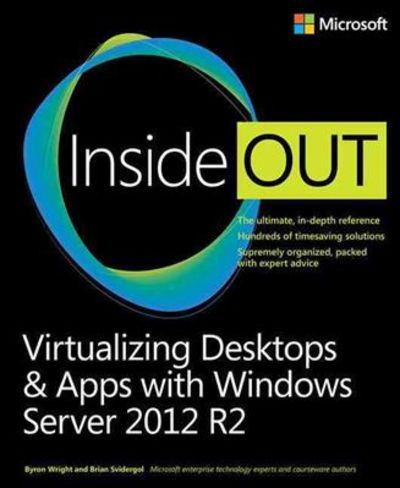
Virtualizing Desktops & Apps With Windows Server 2012 R2 Inside Out

Virtualizing Desktops & Apps With Windows Server 2012 R2 Inside Out

Virtualizing Desktops & Apps With Windows Server 2012 R2 Inside Out
Stock photo: cover may vary

Virtualizing Desktops & Apps With Windows Server 2012 R2 Inside Out Paperback - 2015

by Svidergol, Brian

Add to wish list
  • Used
  • Good
  • Paperback
Used - Good

Description

paperback. Good. Access codes and supplements are not guaranteed with used items. May be an ex-library book.
Ask the seller a question Add to wish list
A$62.38
Free Delivery within USA
Standard delivery: 7 to 14 days
More delivery options
Dropship order
Ships from Bonita (California, United States)

Details

  • Title Virtualizing Desktops & Apps With Windows Server 2012 R2 Inside Out
  • Author Svidergol, Brian
  • Binding Paperback
  • Edition Paperback
  • Condition Used - Good
  • Pages 640
  • Volumes 1
  • Language ENG
  • Publisher Microsoft Press
  • Publication date 2015-05
  • Bookseller's Inventory # 0735697213.G
  • ISBN 9780735697218 / 0735697213
  • Weight 2.2 lbs (1.00 kg)
  • Dimensions 9 x 7.4 x 1.2 in (22.86 x 18.80 x 3.05 cm)
  • Category Computers - Operating Systems
  • Dewey Decimal Code 005.446
  • Quantity available 1

About Bonita California, United States

Biblio member since 2020

Terms of Sale: 30 day return guarantee, with full refund including original shipping costs for up to 30 days after delivery if an item arrives misdescribed or damaged.

Browse books from Bonita

Reader reviews for Virtualizing Desktops & Apps With Windows Server 2012 R2 Inside Out

From the publisher

Conquer Windows Server 2012 R2 virtualization--from the inside out!


Dive into Windows Server 2012 R2 virtualization--and really put your systems expertise to work. Focusing on both virtual desktop infrastructure and virtualized applications, this supremely organized reference packs hundreds of timesaving solutions, tips, and workarounds. Discover how the experts tackle Windows virtualization--and challenge yourself to new levels of mastery.

  • Use virtualization to prevent business disruption, help improve security, simplify upgrades, and support mobile users
  • Plan and deploy User State Virtualization for a consistent experience across locations and devices
  • Define users, applications, and scenarios for any virtualization project
  • Compare and deploy both session-based and virtual machine-based (VM-based) desktops
  • Configure Client Hyper-V and work with VMs in a Client Hyper-V environment
  • Install, design, configure, and administer Microsoft Application Virtualization (App-V) infrastructure and clients
  • Sequence applications for efficient and reliable deployment
  • Help secure remote access to virtual desktops with Remote Desktop Gateway (RD Gateway)
  • Plan and implement pooled and personal desktops
  • Monitor virtualized apps and desktops for health and performance

About the author

Byron Wright, MVP (Microsoft Exchange Server), is a consultant specializing in Windows Server, Exchange Server, and Microsoft Office 365 solutions. He teaches Management Information Systems (MIS) and networking at the University of Manitoba's Asper School of Business and has coauthored Microsoft official curricula and the Windows Server 2008 Active Directory Resource Kit.


Brian Svidergol, MCSE, specializes in infrastructure and cloud solutions built with Windows Server, Active Directory Domain Services, Microsoft Exchange Server, Microsoft System Center, virtualization, and Microsoft Desktop Optimization Pack (MDOP). He was the MCT Ambassador at TechEd North America 2013 and authored Exam Ref 70-695 Deploying Windows Devices and Enterprise Apps.

tracking-