
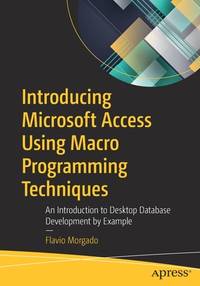
Stock photo: cover may vary
Introducing Microsoft Access Using Macro Programming Techniques: An Introduction to Desktop Database Development by Example Papeback -
by Flavio Morgado
- New
A$156.45
A$5.86
Delivery within USA
Standard delivery: 9 to 14 days
More delivery options
Standard delivery: 9 to 14 days
Ships from Cold Books (New York, United States)
Details
- Title Introducing Microsoft Access Using Macro Programming Techniques: An Introduction to Desktop Database Development by Example
- Author Flavio Morgado
- Binding Papeback
- Condition New
- Pages 597
- Volumes 1
- Language ENG
- Publisher Apress
- Publication date 1st ed. edition NO-PA16APR2
- Illustrated Yes
- Features Illustrated, Index
- Bookseller's Inventory # 6386447674
- ISBN 9781484265543 / 1484265548
- Weight 2.33 lbs (1.06 kg)
- Dimensions 10 x 7 x 1.25 in (25.40 x 17.78 x 3.18 cm)
- Category Computers - Languages / Programming
- Library of Congress subjects Database management, Macro instructions (Electronic computers)
- Dewey Decimal Code 005.756
- Quantity available 4
About Cold Books New York, United States
Reader reviews for Introducing Microsoft Access Using Macro Programming Techniques: An Introduction to Desktop Database Development by Example
Write a review for this book
Important Terms and Guidelines
- Please focus on the book’s content and context. Also, add any personal comments as to how you enjoyed the book. Substantiate your likes and dislikes. You may make comparisons to other books.
- Reviews must be at least 140 characters in length.
- Please do not reveal critical plot elements.
- This is not a help line. Contact customer support if you need help.
Your review must not include:
- Obscenities, discriminatory language, or other insulting language not suitable for public domain
- Advertisements, “spam” content, or references to other products, offers or websites.
- Email addresses, URLs, phone numbers, physical addresses or other contact information.
- Overly critical comments about other reviews or reviewers
- Time-sensitive material (i.e. promotional tours, seminars, lectures, etc.)
- Availability, price, or alternative ordering/shipping information
From the publisher
From the rear cover
Learn Microsoft Access by building a powerful database application from start to finish.
Microsoft Access ships with every version of Office, from Office 2019 to Office 365 Home and Personal editions. Most people understand the value of having a reliable contact database, but few realize that Access can be an incredibly valuable data tool and an excellent gateway for learning database development.
Introducing Microsoft Access Using Macro Programming Techniques approaches database development from a practical and experiential standpoint. You will learn important data concepts as you journey through each step of creating a database using Access. The example you will build takes advantage of a massive amount of data from an external source of nutritional data (USDA). You will leverage this freely available repository of information in multiple ways, putting Access to the test in creating powerful business solutions that you can then apply to your own data sets. The tables and records in this database will be used to demonstrate key relational principles in Access, including how to use the relationship window to understand the relationships between tables and how to create different objects such as queries, forms, reports, and macros. Using this approach, you will learn how desktop database development can be a powerful solution to meet your business needs.
What You Will Learn
- Discover the relational database and how it is different from other databases
- Create database tables and establish relationships between them to create a solid relational database system
- Understand the concept and importance of referential integrity (RI) in data and databases
- Use different types of Access queries to extract the information you need from the database
- Show database information in individual, customized windows using Access Forms
- Present insightful information about the database using Access Reports
- Automate your database solutions with macros

